



Note: This portfolio site was launched on 30th March 2025. More stories, resources, and portfolio updates will be added progressively as I move forward and subject to available personal time.

Playwright MCP Arguments – Simplified: Essential Configuration

Edition-4 focuses on essential Playwright MCP arguments that optimize web automation and AI agent behavior, enabling stable execution, better control, and efficient agent-driven automation through simplified, practical configuration strategies.

TECHNICAL

Kiran Kumar Edupuganti

12/21/20255 min read

Essential Configuration
Arguments
Arguments
Channel Objectives
Channel Objectives
Trends
Trends

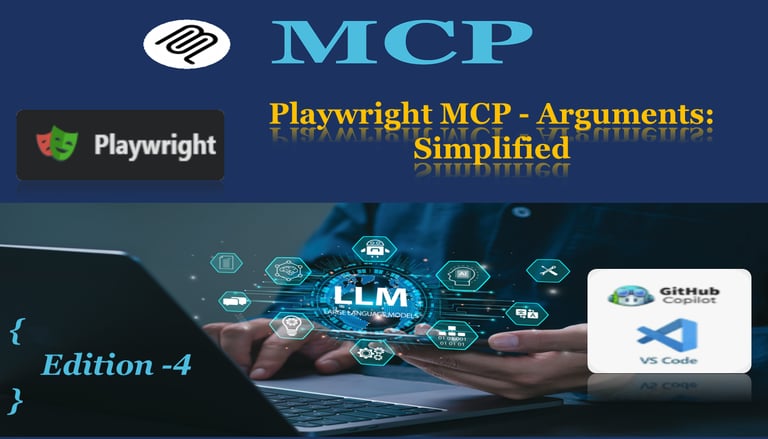
Playwright MCP -Arguments: Simplified | Edition -4

The portfolio reWireAdaptive, in association with the @reWirebyAutomation channel, presents an article on Playwright Integration with AI. This article, titled "Playwright MCP - Arguments: Simplified | Edition -4," aims to optimize the AI Agent to arrive at effective AI-driven automation.

Playwright MCP (Model Context Protocol) arguments provide fine-grained control over browser automation behavior when integrating AI-assisted testing capabilities. These command-line arguments configure how the Playwright MCP server operates, defining everything from browser selection and capabilities to timeout management and output handling.

The primary purposes of these arguments are:

  • Environment Configuration: Define which browsers, devices, and capabilities are available for test execution

  • Behavior Control: Manage timeouts, session persistence, and trace recording for debugging

  • Output Management: Control logging levels and specify where artifacts (traces, screenshots, PDFs) are stored

  • AI Agent Optimization: Enable specific capabilities that AI agents can leverage for intelligent test generation and execution

By properly configuring these arguments in your MCP configuration file, you create a robust foundation for AI-driven test automation that balances flexibility, debugging capability, and performance.

1. --caps (Capabilities)

Syntax: --caps=testing,vision,pdf

Description: Defines the functional capabilities available to the Playwright MCP server. This controls what types of operations the AI agent can perform.

Available Options:

  • testing - Core browser automation and testing operations

  • vision - Screenshot capture and visual verification

  • pdf - PDF generation from web pages

Best Practice: Always include testing and vision for comprehensive web automation. Add pdf when document generation or archival is required.

Example Use Case: Testing a reporting dashboard that generates PDF exports requires --caps=testing,vision,pdf.

Details of 10 Essential Arguments for Web Application Automation

Purpose

2. --browser (Browser Selection)

Syntax: --browser=chromium,webkit,firefox,chrome,edge

Description: Specifies which browser engines the MCP server can utilize for test execution. Supports multiple browsers for cross-browser testing.

Available Options:

  • chromium - Open-source Chromium browser (fastest, recommended for development)

  • firefox - Mozilla Firefox

  • webkit - Safari's browser engine

  • chrome - Google Chrome (branded version)

  • edge - Microsoft Edge

Best Practice: Include chromium,firefox,webkit for comprehensive cross-browser coverage. Add chrome and edge for enterprise environments requiring branded browser testing.

Example Use Case: E-commerce sites must test payment flows across all major browsers to ensure compatibility.

3. --console-level (Logging Level)

Syntax: --console-level=info

Description: Controls the verbosity of console output from the MCP server, helping balance debugging information with log noise.

Available Options:

  • error - Only critical errors

  • warn - Warnings and errors

  • info - General information, warnings, and errors (recommended)

  • debug - Detailed debugging information

  • trace - Complete execution traces (maximum verbosity)

Best Practice: Use info for development and CI/CD pipelines. Switch to debug or trace only when troubleshooting specific issues.

Example Use Case: During initial test development, --console-level=debug helps understand why AI-generated selectors might be failing.
4. --device (Device Emulation)

Syntax: --device=iPhone 12,Pixel 5

Description: Enables mobile device emulation with predefined viewport sizes, user agents, and touch capabilities.

Available Options: Any device name supported by Playwright's device registry (e.g., "iPhone 12", "Pixel 5", "iPad Pro", "Galaxy S9+")

Best Practice: Include at least one iOS and one Android device to cover mobile responsiveness. Choose devices representing common user demographics.

Example Use Case: Testing a responsive e-commerce checkout flow requires verification on both iPhone 12 (iOS Safari) and Pixel 5 (Android Chrome).

5. --output-dir (Output Directory)

Syntax: --output-dir=./playwright-mcp-output

Description: Specifies the directory where all test artifacts (screenshots, traces, PDFs, videos) are saved.

Default: ./playwright-mcp-output

Best Practice: Use a dedicated directory outside your source code (e.g., ./playwright-mcp-output or ./test-artifacts). Add this directory to .gitignore to avoid committing large binary files.

Example Use Case: In CI/CD pipelines, configure --output-dir=./artifacts and archive this folder as build artifacts for post-mortem analysis.

6. --save-session

Syntax: --save-session (boolean flag)

Description: Persists browser session state (cookies, local storage, session storage) between test runs. Dramatically speeds up tests requiring authentication.

No Value Required: This is a flag argument (presence enables the feature).

Best Practice: Enable in development environments to avoid repeated logins. Disable in CI/CD for test isolation.

Example Use Case: When testing authenticated workflows in OrangeHRM, --save-session allows reusing the admin login across multiple test iterations, saving 3-5 seconds per test.

7. --save-trace

Syntax: --save-trace (boolean flag)

Description: Records detailed execution traces including screenshots, network activity, console logs, and DOM snapshots at each step. Essential for debugging failures.

No Value Required: This is a flag argument (presence enables the feature).

Best Practice: Always enable in CI/CD environments to debug failures. Consider disabling locally to improve execution speed during development.

Example Use Case: When a test fails in CI with "Element not found", the trace file shows exactly what the page looked like, what network calls were made, and why the selector failed.

8. --timeout-action (Action Timeout)

Syntax: --timeout-action=500ms

Description: Sets the maximum time Playwright waits for individual actions (click, fill, select) to complete before throwing a timeout error.

Default: 0 (no timeout, waits indefinitely)

Supported Units: ms (milliseconds), s (seconds), m (minutes)

Best Practice: Set to 500ms or 1000ms for responsive modern SPAs. Increase to 2000ms for legacy applications with slow JavaScript execution.

Example Use Case: OrangeHRM's autocomplete dropdowns require --timeout-action=2000ms because they fetch data via AJAX with noticeable latency.

9. --timeout-navigation (Navigation Timeout)

Syntax: --timeout-navigation=60000ms

Description: Defines the maximum time Playwright waits for page navigations (initial load, form submissions, link clicks) to complete.

Default: 30000ms (30 seconds)

Supported Units: ms (milliseconds), s (seconds), m (minutes)

Best Practice: Set to 60000ms (60 seconds) for enterprise applications with complex initialization. Use 30000ms for fast modern SPAs.

Example Use Case: Testing a dashboard that aggregates data from multiple microservices requires --timeout-navigation=60000ms to accommodate slow first-load scenarios.

10. npx @playwright/mcp@latest (Command & Package)

Syntax: "command": "npx", "args": ["@playwright/mcp@latest", ...]

Description: Specifies using npx to run the latest version of the Playwright MCP package without requiring local installation.

Why npx:

  • Always fetches the latest version (@latest)

  • No need to manually install or update packages

  • Ensures consistency across development machines

Alternative: Install globally (npm install -g @playwright/mcp) and use "command": "playwright-mcp" for faster startup in CI/CD.

Best Practice: Use @latest in development for newest features. Pin to specific version in CI/CD for reproducibility (e.g., @playwright/mcp@1.2.3).

Example Use Case: A team working on multiple projects benefits from @latest to automatically get bug fixes and new AI capabilities without manual updates.

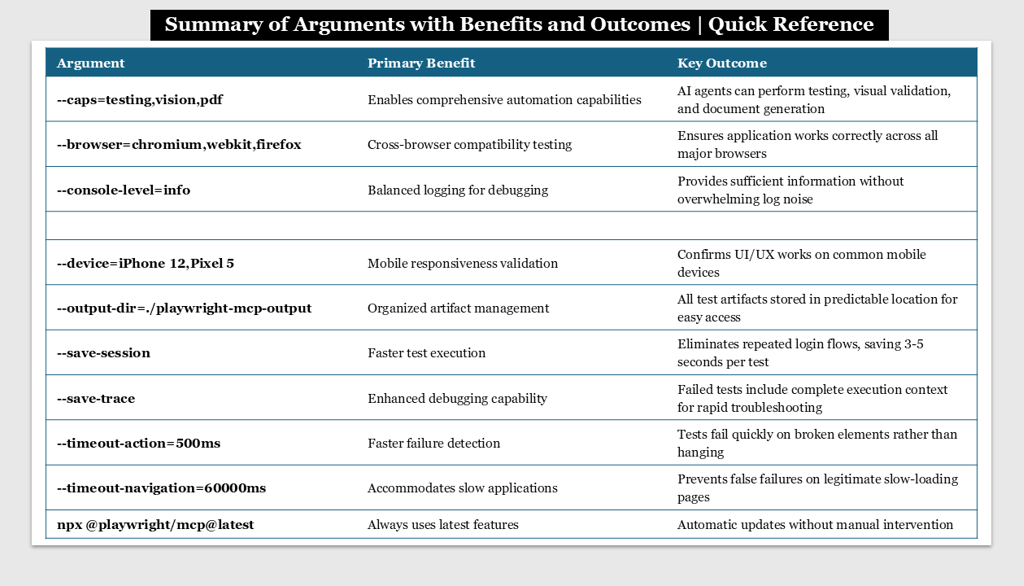
Reference Table
Reference Table

Conclusion:

These 10 Playwright MCP arguments form the foundation of efficient, reliable, and AI-optimized web application automation. By thoughtfully configuring capabilities, browsers, timeouts, and artifacts, you create an environment where:

  • Tests run faster

  • Debugging is trivial

  • Quality is comprehensive

  • AI agents work intelligently

Start with the minimal configuration and progressively add arguments as your testing needs evolve. Monitor the impact on execution time, debug efficiency, and bug detection to fine-tune values specific to your application's characteristics.

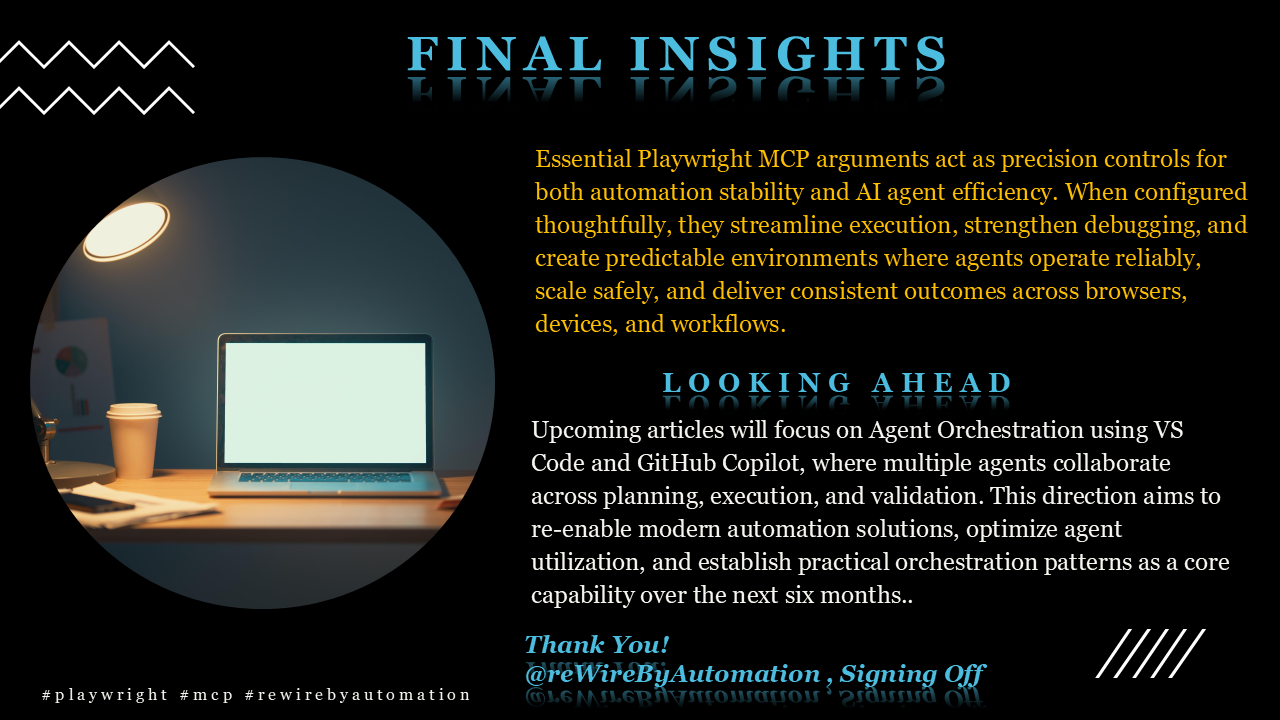
Final Insights
Final Insights
Thank You
Thank You

Stay tuned for the next article from rewireAdaptive portfolio

This is @reWireByAutomation, (Kiran Edupuganti) Signing Off!

With this, @reWireByAutomation has published a “Playwright MCP -Arguments: Simplified | Edition -4: Essential Configuration